Answers on your screen.Invisible on theirs.
EasyRound listens to your interview, catches the question, and puts a clear answer in front of you — in an overlay that doesn't appear when you share your screen.
Windows 10 build 19041 or newer · macOS in final testing
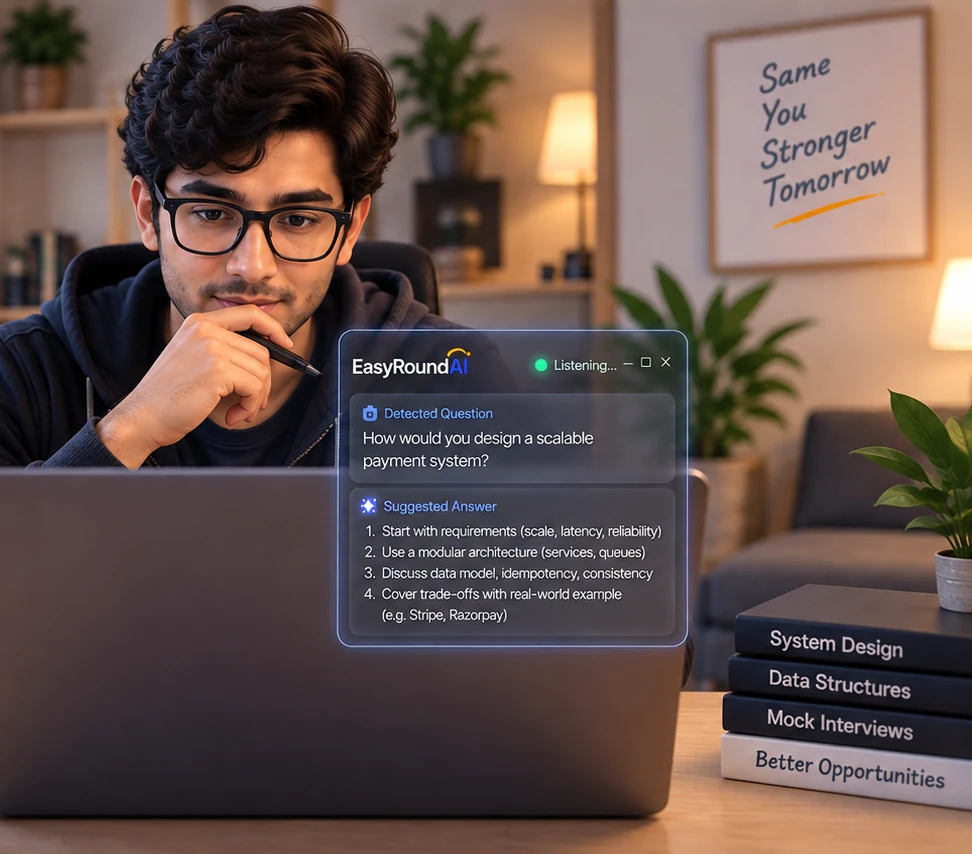 Only you can see this
Built for every kind of interview round
System design, coding rounds, and behavioral questions — EasyRound listens, catches the question, and puts a clear answer in front of you.
"Design a URL shortener that handles 10M requests a day."
...and every designation, from your first role to your next one:
- Software Engineer
- Senior Software Engineer
- Staff Software Engineer
- Principal Software Engineer
- Engineering Manager
- AVP / VP of Engineering
- Technical Architect
- Chief Architect
- Product Manager
- Senior Product Manager
- QA Automation Engineer
- Machine Learning Engineer
- AI Engineer
- Data Scientist
- Vibe Coder
- AI Generalist
- Prompt Engineer
We're not going to tell you we're #1
Every tool in this category says it. Cluely: "#1 Undetectable AI for Meetings." Final Round AI: "#1 AI Interview Assistant." Parakeet: "#1 Real-Time AI Interview Assistant." Interview Coder: "The No. 1 Undetectable AI For Interviews," alongside a promise of "100% undetectability." They cannot all be first, and not one of them shows you how it was measured.
- The overlay is excluded from screen capture by the operating system itself, not hidden by the app.
- The app verifies this on every launch and refuses to open if the check fails.
- One price, in rupees, with GST shown before you pay.
- Every comparison on this site is dated and sourced to the competitor's own pricing page.
- No OS-level exclusion stops a phone pointed at your screen.
- Proctoring software with deeper system access is a different problem, and we don't claim to solve it.
- Microsoft's own documentation says this mechanism is not a security guarantee. Anyone promising 100% is guessing.
Competitor headlines quoted from their own homepages, checked 9 October 2026.
It hears the question and answers it
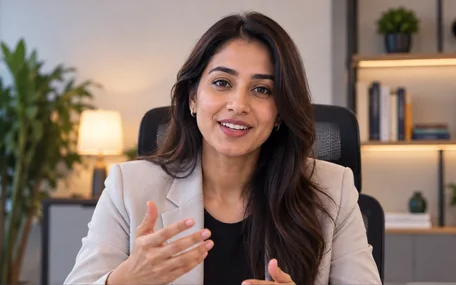
Transcription runs locally against the call audio. When the interviewer actually asks something, the question is pulled out and a structured answer appears — on your screen only.

A rendering of the real interface, not a photograph — the overlay is excluded from screen capture, so it cannot be screenshotted.
It reads what is on your screen
Press Read screen during a coding round and the problem on screen is captured and read, so the answer is about the actual question rather than a guess at it.
And none of it is in the frame
Two screens, one call: what you see versus what your interviewer's screen share actually shows.
Same moment. The overlay simply isn't in the captured frame.
Excluded from capture at the OS level, not hidden by the app. What that does and doesn't cover.
How it works
Four steps, and you only do the first one.
- 01Join your call as usual
Zoom, Google Meet, Microsoft Teams — EasyRound runs alongside the call, not inside it. Nothing to install into the meeting, no bot joining as a participant.
- 02It listens and catches the question
Real-time transcription picks out when the interviewer has actually asked something, rather than captioning the whole call at you.
- 03A structured answer appears — for you only
Not a wall of text: the shape of a good answer, so you can say it in your own words. Press Read screen and it takes in the coding problem too.
- 04Your screen share never sees it
The overlay is excluded from screen capture by the operating system itself. The app verifies this on every launch and refuses to open if the check fails.
Pay by the hour. No subscription.
Interviews are occasional, not a daily habit — so the pricing isn't either.
Pay as you go
₹499 + GST / hour
₹589 charged at checkout
First 10 minutes free, no card. Buy one hour at a time, whenever you need it.
- One 60-minute block, used whole
- Every feature — invisibility is never an upsell
- Credits never expire
3-hour pack
₹1,199 + GST
₹1,415 charged · ₹400/hr blended
For candidates prepping across a loop of several rounds.
- Three 60-minute blocks
- Every feature — invisibility is never an upsell
- Credits never expire
No subscription. Nothing to cancel. GST is shown above because you will be charged it — not discovered at checkout.
What an hour actually costs
A subscription only pays off if you interview constantly. Most people don't.
Each figure verified against that vendor's own pricing page — including the two that undercut us. See all nine comparisons →
What's next
Turn your work history into an ATS-ready resume in minutes.
Practice a full round with an AI interviewer before the real thing.
Download EasyRound
Windows and macOS are both available to download now. Your first 10 minutes are free once you sign in.
Needs Windows 10 version 2004 (build 19041) or newer.
Frequently asked
Interviews are occasional, bursty events, not a daily habit — a monthly-unlimited plan overcharges the exact person this is for. ₹499 covers one 60-minute session; the 3-hour pack drops that to ₹400/hr blended. Nothing to cancel, because there's no subscription.
No. The overlay is excluded from screen capture at the OS level, so it isn't in the video Zoom, Teams, or Meet actually transmits. The honest caveat: that covers what a screen share captures. It isn't a claim that proctoring software can never detect a second application running by other means, and anyone telling you otherwise is overselling it.
That depends on the interview, and we won't pretend otherwise. Plenty of companies now say outright that they expect you to use AI on the job, and treat a candidate who reasons with a tool as a realistic one. Others ask you not to, and some run proctoring. Read what you agreed to before the call. What the product does is narrow: it listens, and it puts a prompt on your screen. You still have to understand the answer out loud, because the interviewer will ask you why.
Because they aren't built yet. We'd rather ship the live-interview product well and say "coming soon" honestly than list a feature before it exists.
Audio is transcribed to generate answers and isn't kept after your session ends. We store your email address, your credit balance, and how long each session ran — the minimum needed to run your account.
Yes — pick your track above and the examples update. The overlay and question-detection work the same regardless of role.
It's in final testing, not downloadable yet — which is why the Mac card offers to email you rather than handing you a build. It needs macOS 13 or newer, and there are separate Apple Silicon and Intel builds; the page works out which Mac you're on and marks the right one. We'd rather be a week late than ship a build that fails the one time you need it.
Because that is the version where Windows added the capability the product depends on: the ability to mark a window as excluded from screen capture rather than merely hidden. On anything older, Windows accepts the request and then renders the overlay as a solid black rectangle in your shared screen — worse than no overlay at all. So the download is gated rather than left to fail quietly. Press Win+R, run winver, and the build number is on the second line.
Email support@easyround-ai.com and tell us what happened. We handle refunds by hand right now, which means a person actually reads it.
Ten minutes, no card
Enough to put one real question through it and decide for yourself.
Download for Windows